Bring in a recipe
Import a photo of a written recipe or pasted text, or draft a recipe from a dish name. Review the suggested ingredients and quantities before saving.
 MenuPlan AI
Meal planning for real life · Android
Keep your recipes, plan lunch and dinner, and turn the week into a shopping list you can share with your household.
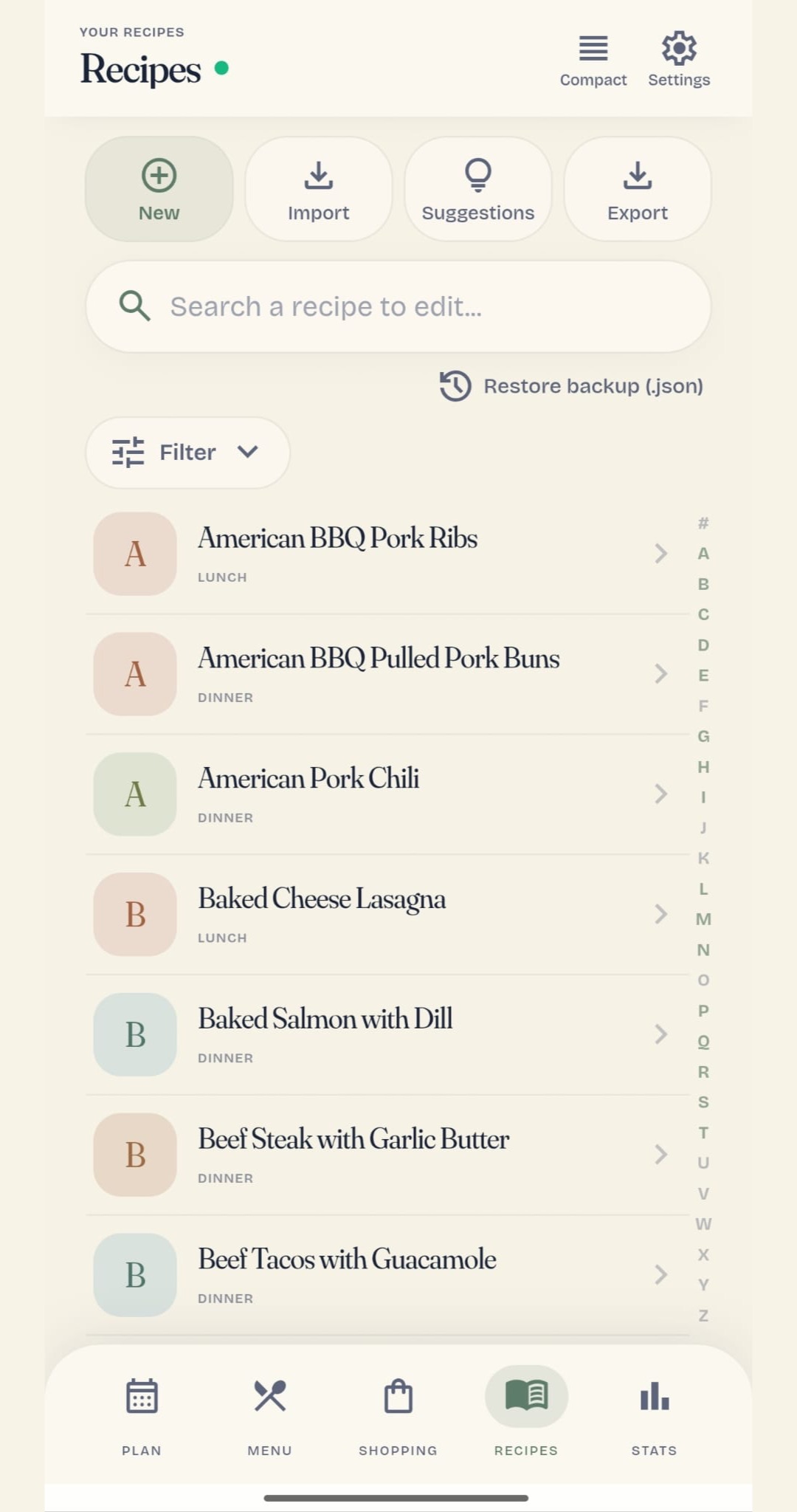
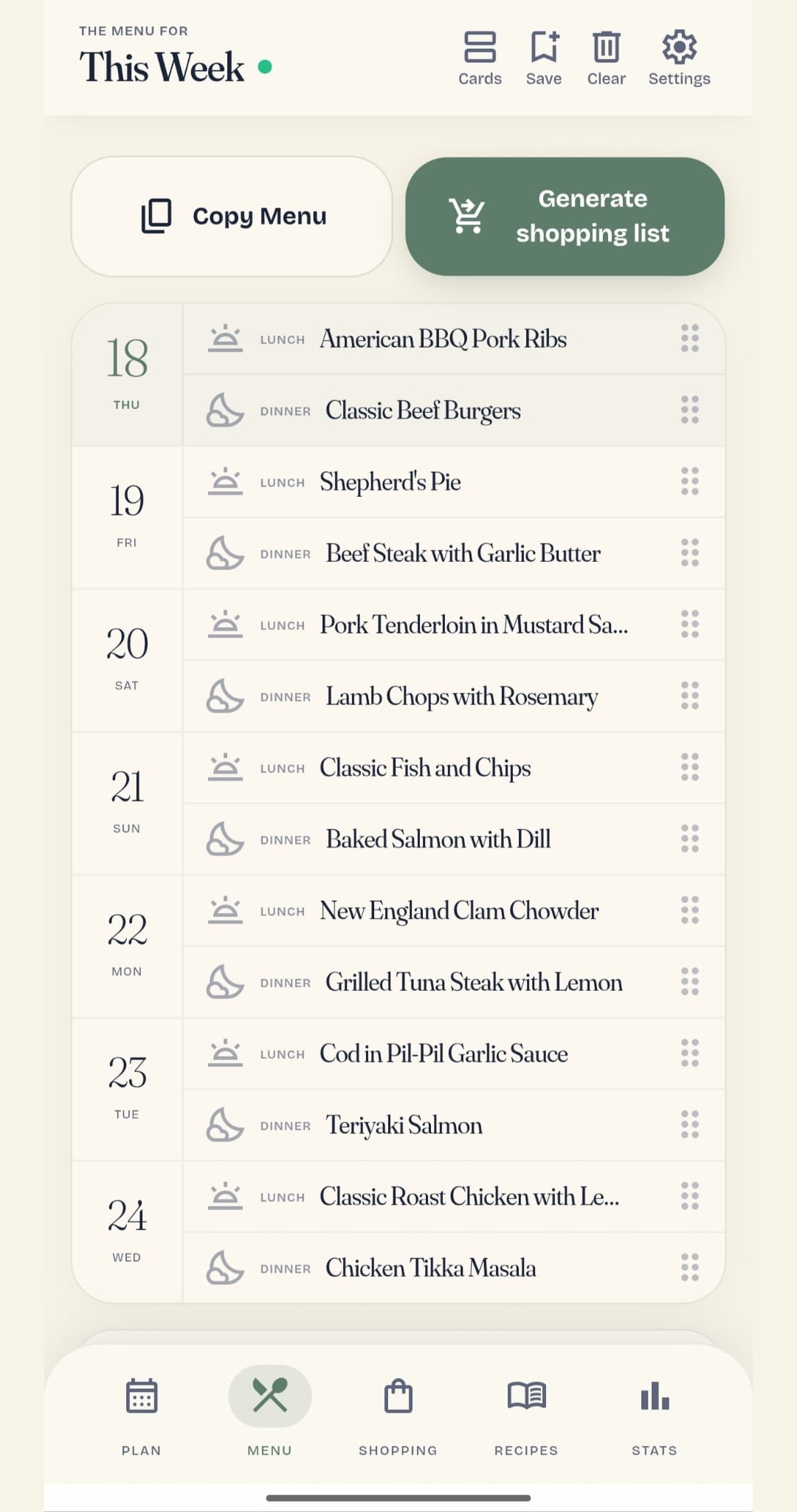
Real app screens. The meals shown are examples.
Keep the dishes you actually cook.
Dates, fixed dishes and busy days.
Review your week and swap dishes.
Gather ingredients for your portions.
Work from the same menu and list.
Share the menu as an image.
Take a closer look
Explore six app screens, from your first recipe to the week's shopping. Choose a tab to see what you can do.
Add your own dishes, find them quickly and keep the details you need when you cook.
Set the date range, meals away from home and dishes you want to keep. The planner combines the recipes you have saved.
Generate the list from your planned recipes and portions. Compatible ingredient quantities are combined so you can review what to buy.
Bring in a compatible recipe website, or ask AI to help turn a photo of a written recipe or pasted text into a recipe, or draft one from a dish name.
Review variety, planned dishes and approximate nutrition for the meals in your menu.
The example figures describe planned meals, not a complete daily diet, a nutrition target or health advice. Statistics are not available in guest mode.
Screens from the app, presented in the Google Play gallery.
AI, with a clear job
These are the AI tools you can use in the app today. Check the suggestions and change anything that does not fit.
Import a photo of a written recipe or pasted text, or draft a recipe from a dish name. Review the suggested ingredients and quantities before saving.
Ask for preparation steps from the recipe details, then read and edit them before cooking.
Get aisle suggestions for an ingredient or a group of items, and adjust them to your own supermarket.
AI tools currently have no separate charge and are subject to usage limits. They require a signed-in account with a verified email and an internet connection; they are not available in guest mode.
Built for everyday life
Sign in to create a household and invite the people you live with. Recipes, menus and shopping lists live in the same shared space.
Add, assign and tick off items in a shared list. Household changes sync when you are connected.
Share a menu image with someone outside the app, or copy pending shopping items as text.
View recipes and menus already available on your device, and edit a loaded shopping list offline. Pending shopping changes sync when connection returns.
Use recipes, a menu and a shopping list on one device without creating an account. Guest data stays on that device; shared households and AI require an account.
English · Español · Français · Deutsch · Italiano · Português
On the welcome screen, choose Start offline. Add your own recipes, or select some from the suggested collection. After adding suggested recipes, choose Generate your first menu. If that prompt is not shown, open Plan, choose your dates and select Generate menu. Review the portions and confirm. Check the resulting menu, then select Generate shopping list. Guest recipes, menus and shopping stay on that device; this flow does not require AI.
AI tools are not available in guest mode. Sign in, verify your email and check your internet connection. These tools run online; email verification and usage limits help prevent abuse. If you reach the daily limit, the app asks you to try again the next day. You can still add recipes manually, plan menus and generate shopping lists without AI.
Yes. The app is currently free to use, with no ads or subscription. AI tools are subject to usage limits and require a verified account and internet.
No. The weekly planner uses a local algorithm to combine your saved recipes and the rules you choose. AI helps with recipe import, preparation steps and aisle suggestions.
Generate the shopping list from your menu when you are ready. If you change the menu later, the app tells you when the list needs updating. Household members can sync changes to the shared list.
Guest recipes, menus and shopping lists stay on your device. Signed-in users can view loaded recipes and menus, and edit a loaded shopping list offline. Pending shopping changes sync when internet returns. Initial account access, AI, website import and live household syncing need internet.
No. It is a list of basics you usually have, so they can be omitted from the shopping list. It does not track quantities, stock levels or expiry dates.
No. They are approximate figures for the meals you planned, based on available ingredient data. Ingredients may be missing nutrition data. The overview is not a daily nutrition target or medical advice.
MenuPlan AI · Android
Bring your recipes. Start as a guest. Build a week that works for your home.
Get it free on Google PlayFor prospective buyers
Review the proposed assets, dated figures and what a handover would involve.
Explore the acquisition details